A calendar with a lane for everyone.
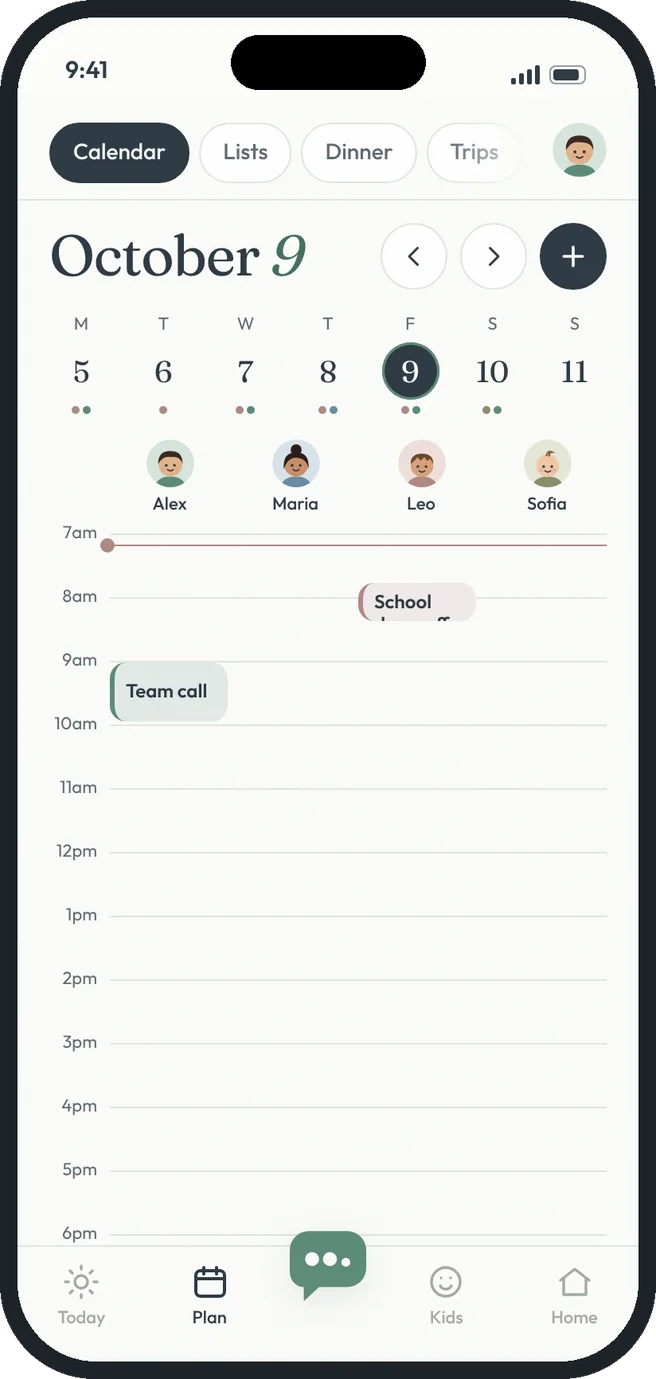
See the whole family's day side by side. Every person gets a column, every plan can have a driver, and HeyTribe warns you before a ride falls through.
 who's busy? who's driving?
Shared calendar, the HeyTribe way.
A column per person
Everyone's plans line up side by side, color-coded with their face at the top.
Repeating events
Set piano every Tuesday or swim every Saturday once. It shows up every week.
Pick a driver
Assign who's driving for any plan and change it with one tap.
Conflict warnings
If the driver is already booked at that time, you'll see it before it's a problem.
Appointment tickets
Tap a plan for the time, the place and notes like what to bring.
Family-wide plans
Dinners, trips and movie nights stretch across everyone's columns.
Free gets you going. Premium goes further.
- A lane for every person
- One-time plans with place and notes
- Pick a driver for any plan
- Repeating weekly events
- Ride conflict warnings
- Plans outside the usual hours list
Three steps. That's it.
- 1
Add a plan
Pick who, when and where. Make it weekly if it repeats.
- 2
Choose a driver
Anyone in the tribe can drive, and everyone sees who it is.
- 3
Everyone's in sync
Changes show up for the whole family right away.
Good questions.
Can I add a plan without filling in a form?
Yes. Tell Hey Tribe something like “Dentist for Leo next Tuesday at 3, Maria drives” and it fills in the plan for you.
Does it sync with Google or Apple calendars?
Not yet. Calendar sync is planned for the iPhone and Android apps.
More answers in the help center.