Your family, on one private page.
Start a tribe for your house and share the 6-character invite code with the people who help run it. Everyone sees the same plans, live.
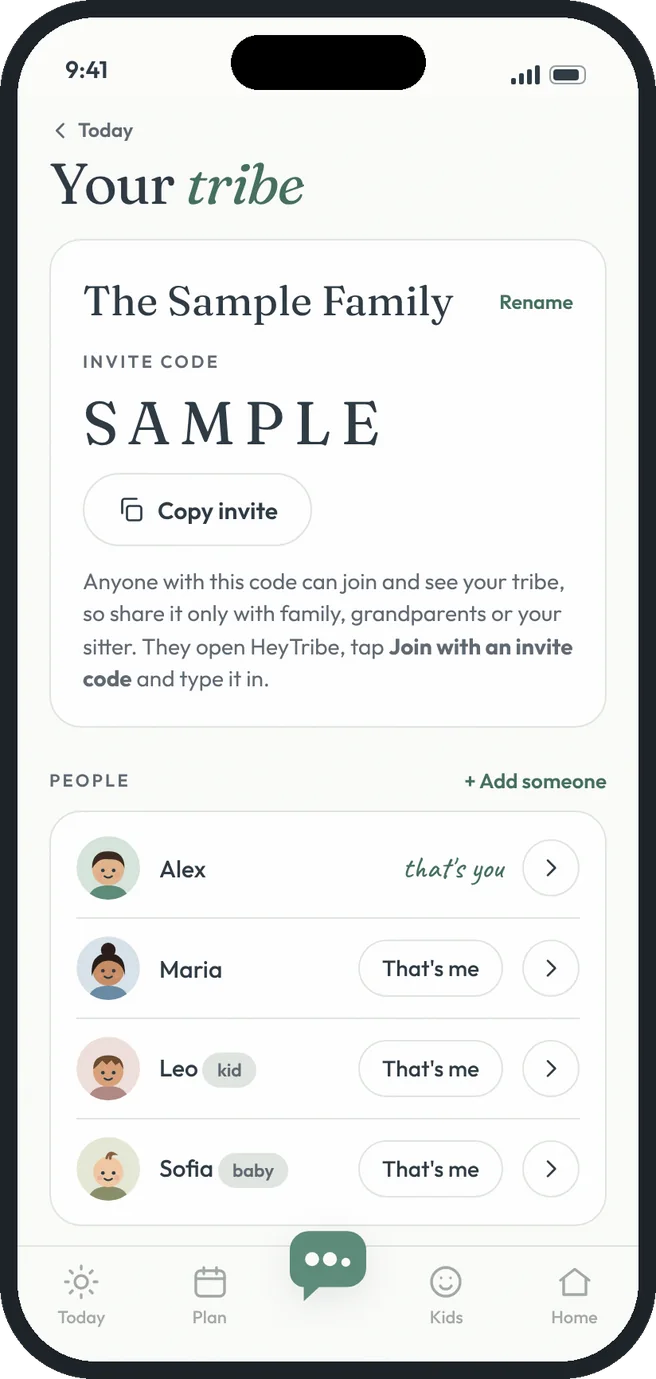 one code, whole family
Family sharing, the HeyTribe way.
Private tribes
Each family gets its own tribe. Only people with your code can join.
Invite with a code
Copy the invite and send it to your partner, the grandparents or the sitter.
Faces for everyone
Pick a look, color, skin tone and hair for each person.
That's me
Each device knows who's holding it, so the things you add show your face.
More than one tribe
Switch between families, like your house and the grandparents'.
Live updates
Changes show up for everyone right away.
Free gets you going. Premium goes further.
- One tribe with up to 6 people
- Invite with a 6-character code
- Faces for everyone and live updates
- Unlimited people, grandparents and sitters included
- More than one tribe, like the grandparents' house
- Switch between tribes on any device
Three steps. That's it.
- 1
Start your tribe
Give it a name and add yourself.
- 2
Add your people
Grown-ups, kids and the baby.
- 3
Share the code
They open HeyTribe, tap Join and type it in.
Good questions.
How private is my tribe?
Only people with your invite code can join and see it, so share it only with family and people you trust.
Can I leave a tribe?
Yes. Remove it from your device any time under Family and settings.
More answers in the help center.