Plan dinner once. Stop asking every night.
The week's dinners on one menu card, right where everyone can see it. Send a meal's ingredients to the grocery list with one tap.
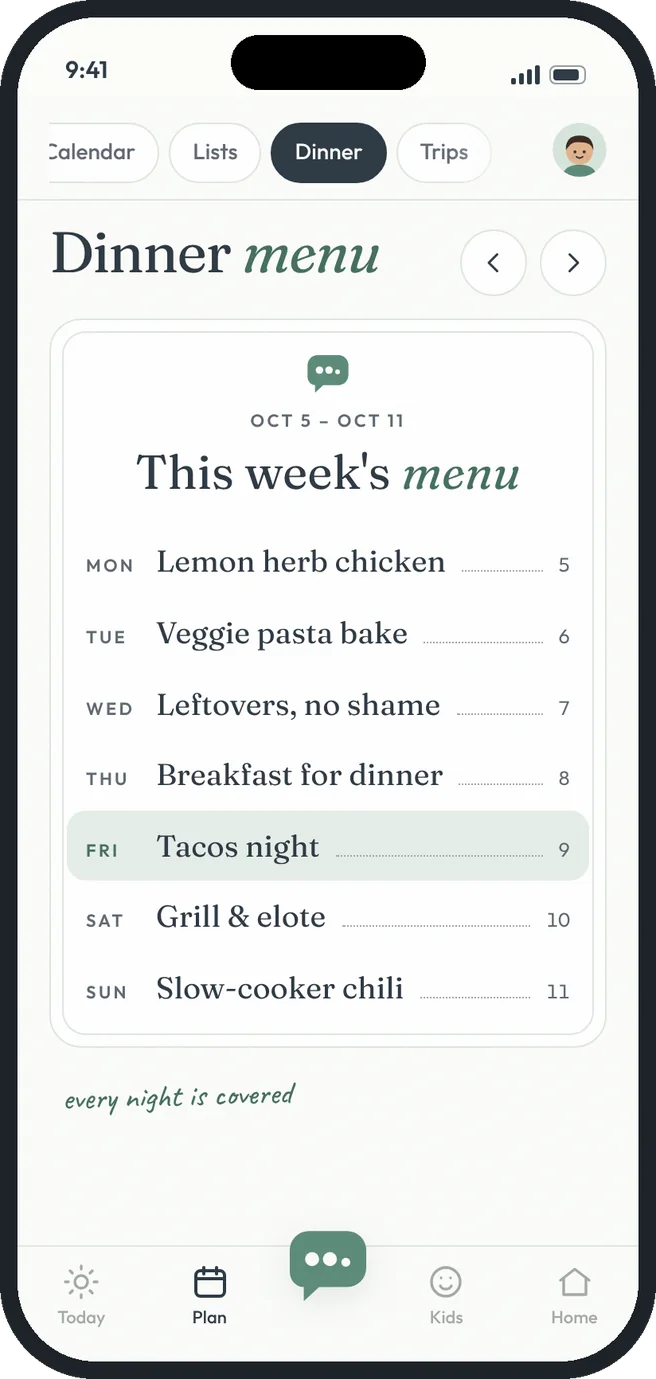 tacos on friday, obviously
Dinner menu, the HeyTribe way.
A menu for the week
Monday through Sunday on one card, with tonight highlighted.
Ingredients to the list
Type the ingredients once and send them to Groceries. Anything already on the list is skipped.
Tonight in the briefing
Today's dinner shows up in everyone's morning briefing.
Plan ahead or look back
Flip between weeks to plan the next one or repeat a good one.
Leftover nights count
Mark a night as leftovers so nobody cooks by accident.
Dinner polls
Can't decide? Put a poll on the fridge and let the family vote.
Free gets you going. Premium goes further.
- This week's dinner menu
- Tonight on the Today screen
- Leftover nights
- Plan ahead and look back at past weeks
- Ingredients for each dinner
- Send ingredients to the grocery list in one tap
Three steps. That's it.
- 1
Tap a night
Add what's cooking and the ingredients.
- 2
Send them to the list
One checkbox adds the ingredients to Groceries, sorted by aisle.
- 3
Shop and cook
Whoever's at the store sees the list. Whoever's home sees the menu.
Good questions.
Does it suggest recipes?
Not yet. You write the menu, and HeyTribe keeps it in front of everyone.
Can the kids see the menu?
Yes. Anyone in your tribe can see and edit the week's dinners.
More answers in the help center.